

How to Track NPC Appearances Across Multiple D&D Sessions
One of the hardest parts of running a long campaign isn’t worldbuilding. It’s continuity.

Author

This guide walks you through creating custom Random Table Generators, from setting up a Generator and organizing its contents to building your first Random Table and filling it with entries. You’ll learn what each section of the editor does, how privacy and search metadata work, how to link tables together for layered results, and how to speed up setup with pasted entries or assisted generation.
You can start creating custom Random Table Generators here.
The workspace stores your changes locally until you press Save. Your work will also persist between page refreshes. If you want to remove local data, select the trash icon in the save modal.
Start by clicking Edit Generator to open the primary generator edit modal displayed here.
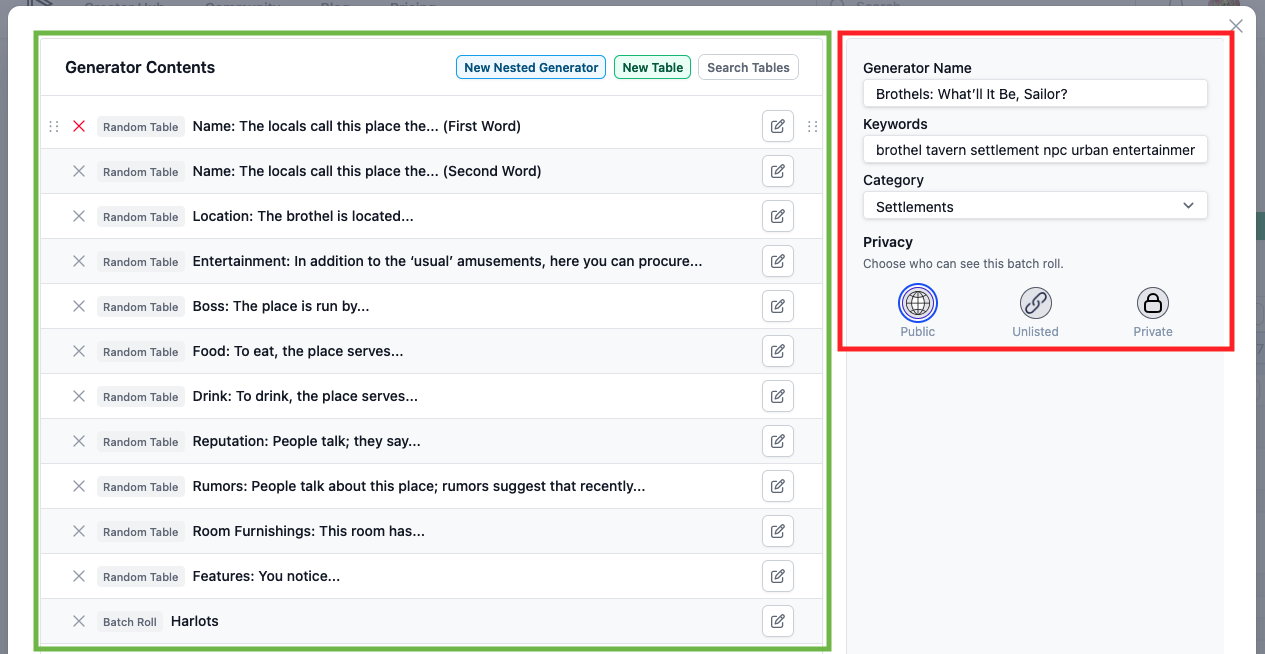
The Generator (sometimes called a batch roll) is a collection of Random Tables and other generators.
(red) Generator Metadata
(green) Generator Contents
Notes
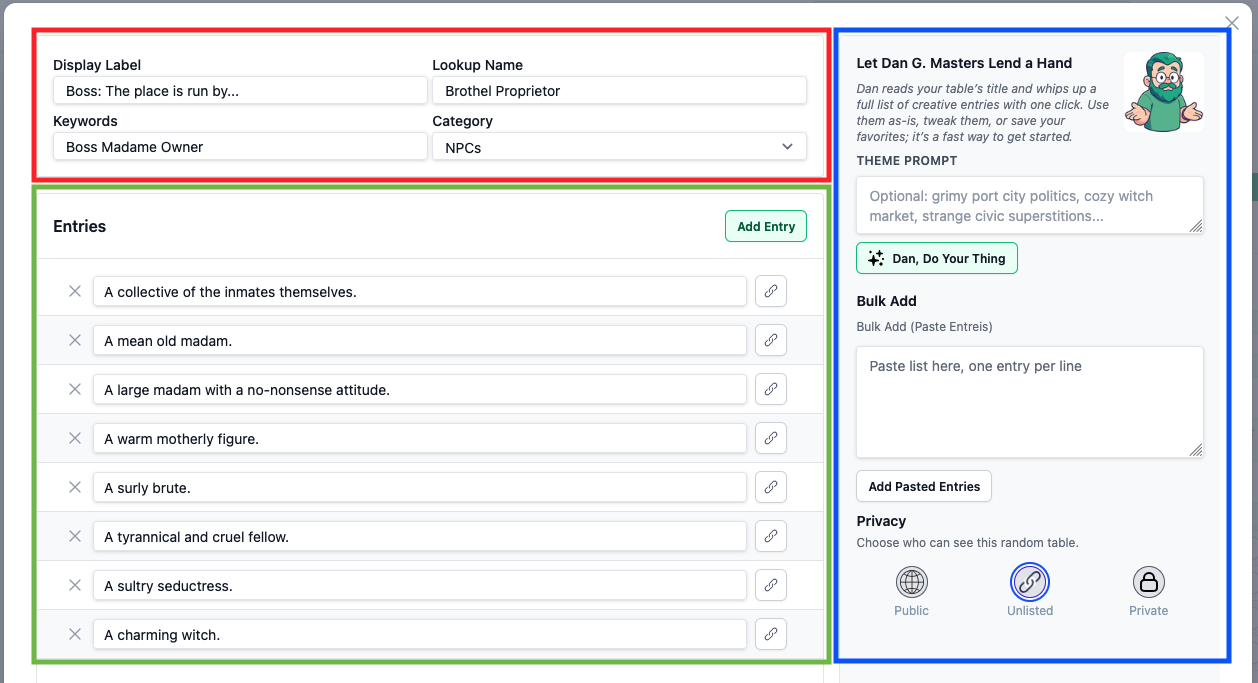
Click New Table to create your first Random Table. A new modal will open with some default data to help you get started.
(red) Table Metadata
(green) Entries
Notes
(blue) Entry Population
Join our Discord server if you have questions, suggestions, or just want to share your stories.
We have similar articles. Keep reading!
One of the hardest parts of running a long campaign isn’t worldbuilding. It’s continuity.
Author

If you mention an NPC, Location, or Item that you’ve already created in the World Builder, the app recognizes it instantly.
Author

Creating game sprites used to take hours of painstaking work, drawing frame by frame, tweaking pixels, and hoping the animation felt right. AI-generated art enables you to create a whole sprite sheet in seconds, but it still takes some effort to get it pixel-perfect and ready to use in a game. In this post, we’ll show you how to take AI art and transform it into a polished asset that moves fluidly, letting you focus on building your game instead of wrestling with every frame.

Author
$9.99/mo
Unlock every tool, template, and asset with one subscription. Whether you're building a world, writing a story, or running a campaign, go further with expanded storage, AI features, and monthly content drops. No ads, no limits, just pure creative focus. You've started something great. Upgrade to bring your vision fully to life.